
01
Client Dashboard
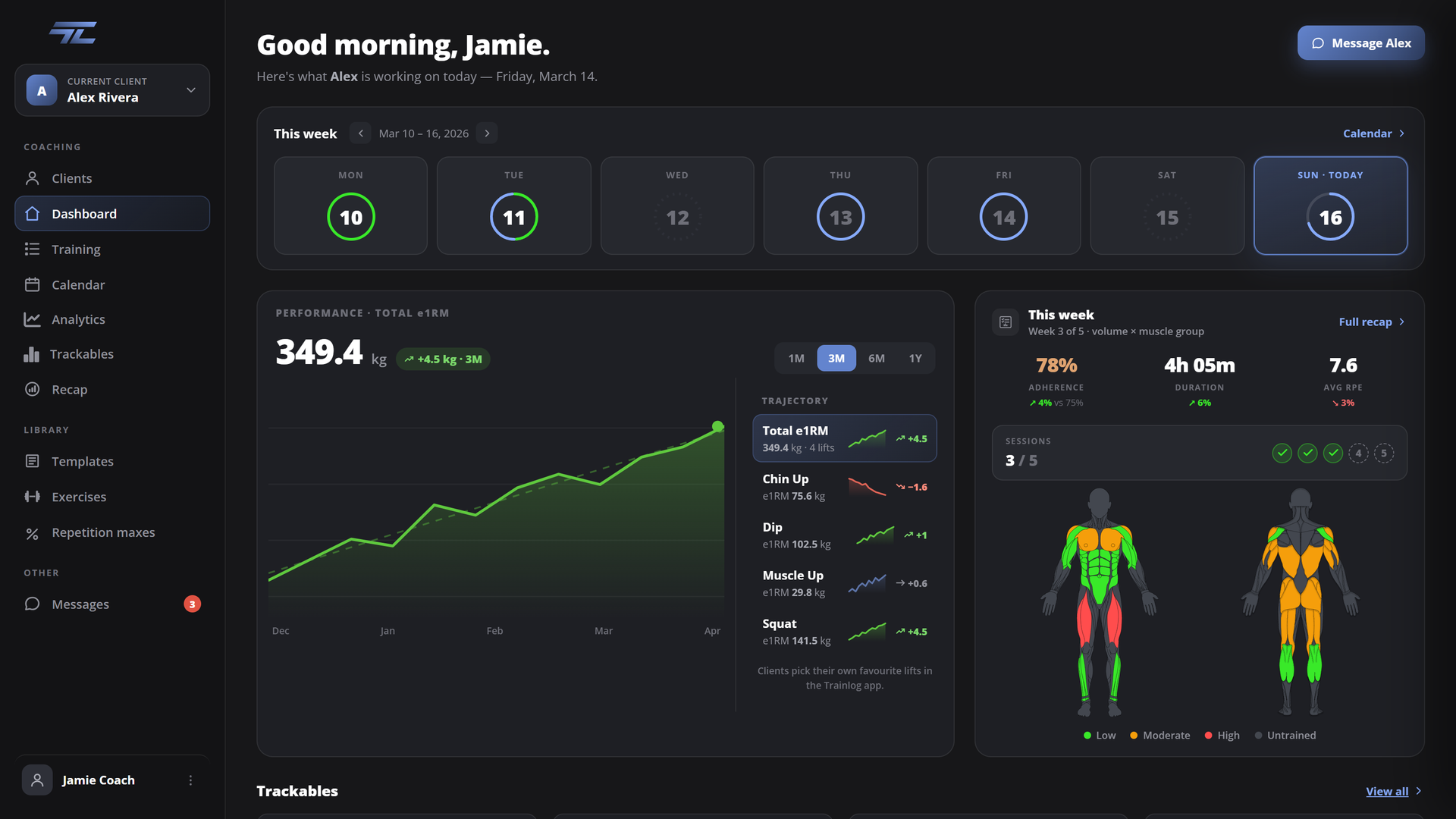
Open a client and read their week. e1RM trends, adherence, session progress, and a muscle heat map, before you touch their program.
The coach side of TrainLog is close to launch. It runs in the browser, on the same sessions your clients are already logging in the app.
Talk to usTen years of coaching people and reviewing their training every week taught us what we needed. The best tool on the market until then was a Drive folder, so we made it our mission to build the ultimate coaching tool.
Progress, status, and unread messages. Click on a client and their whole training history opens.
Program macrocycles, mesocycles, weeks, and sessions. Move, copy, duplicate. We built the training tab to account for all the edge cases we encountered in ten years of coaching.
Every recap stacks this block's volume against the one before it. Read it at a glance, then periodize the next block from what the data shows.
Twelve block types, from sets and reps through to myoreps and AMRAP circuits. Program a weighted pull-up, a timed hold or a band-assisted rep and it lands in the volume, rep range and effort charts like any barbell lift. We wanted to cover everything: calisthenics, streetlifting, powerlifting, strongman.
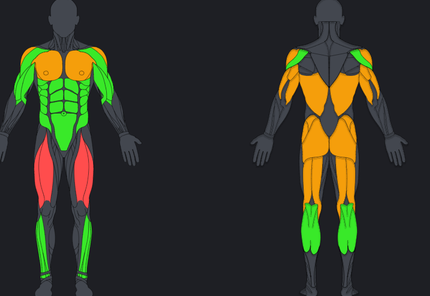
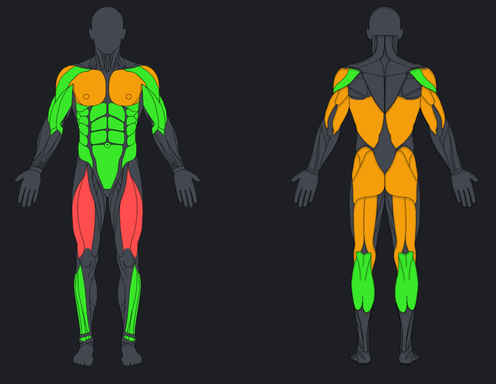
Open a client and read their week. e1RM trends, adherence, session progress, and a muscle heat map, before you touch their program.
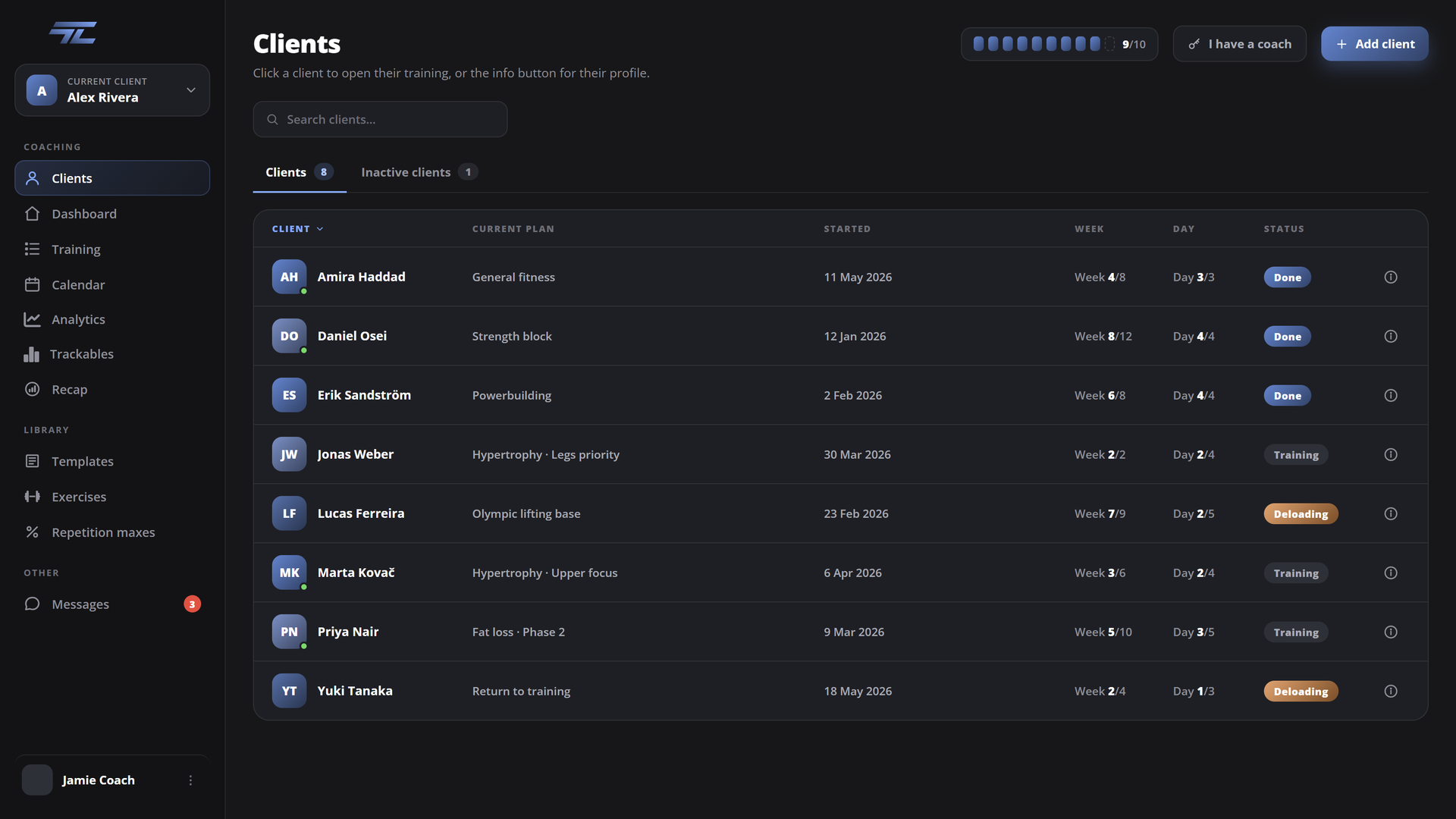
Every client with their current plan, week, day, and status. Message them directly and adjust on the go. No outside messenger needed.
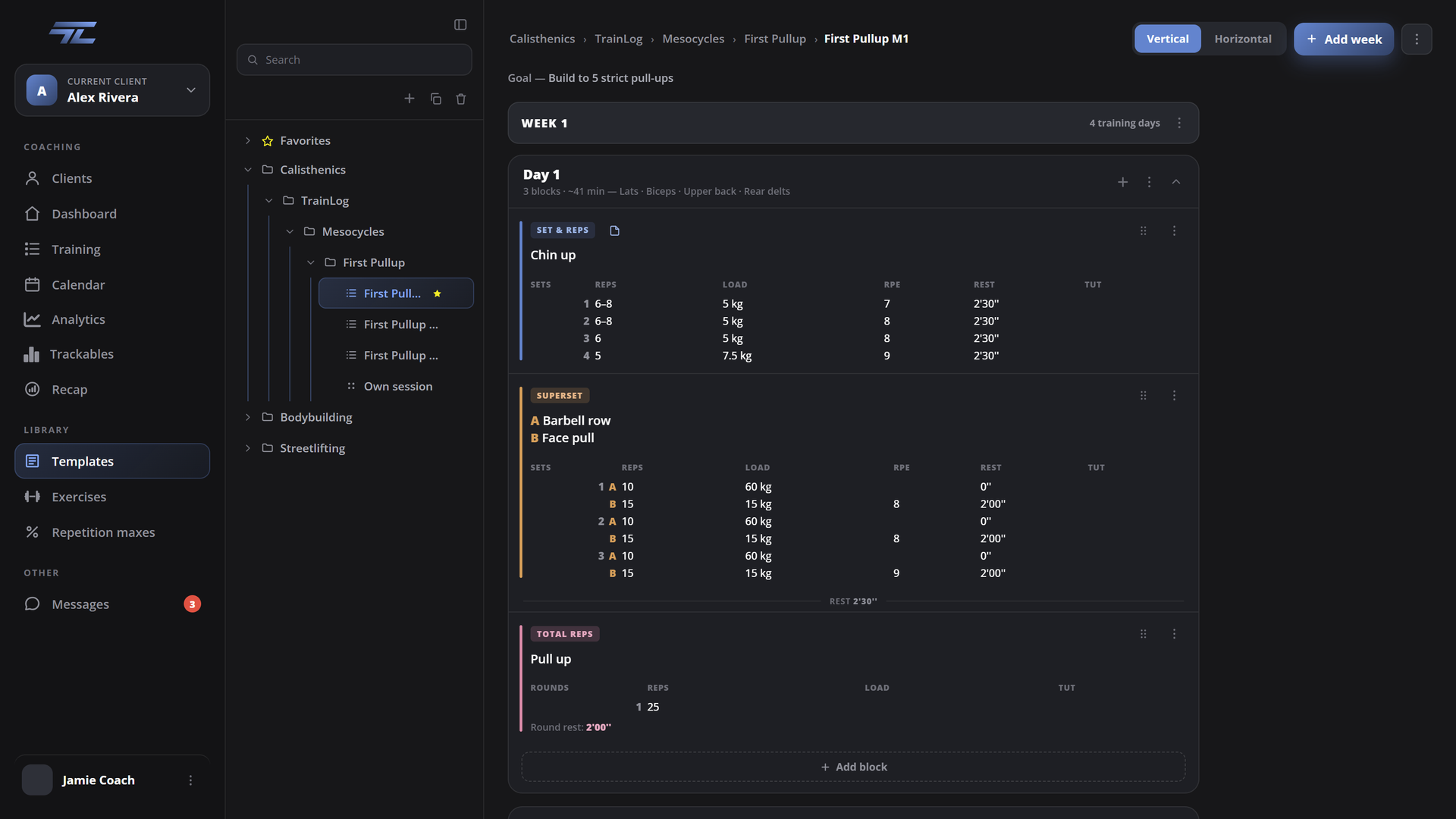
Your own library of mesocycle templates, in folders you organise. Drop one on a client, change what they need, start Monday.
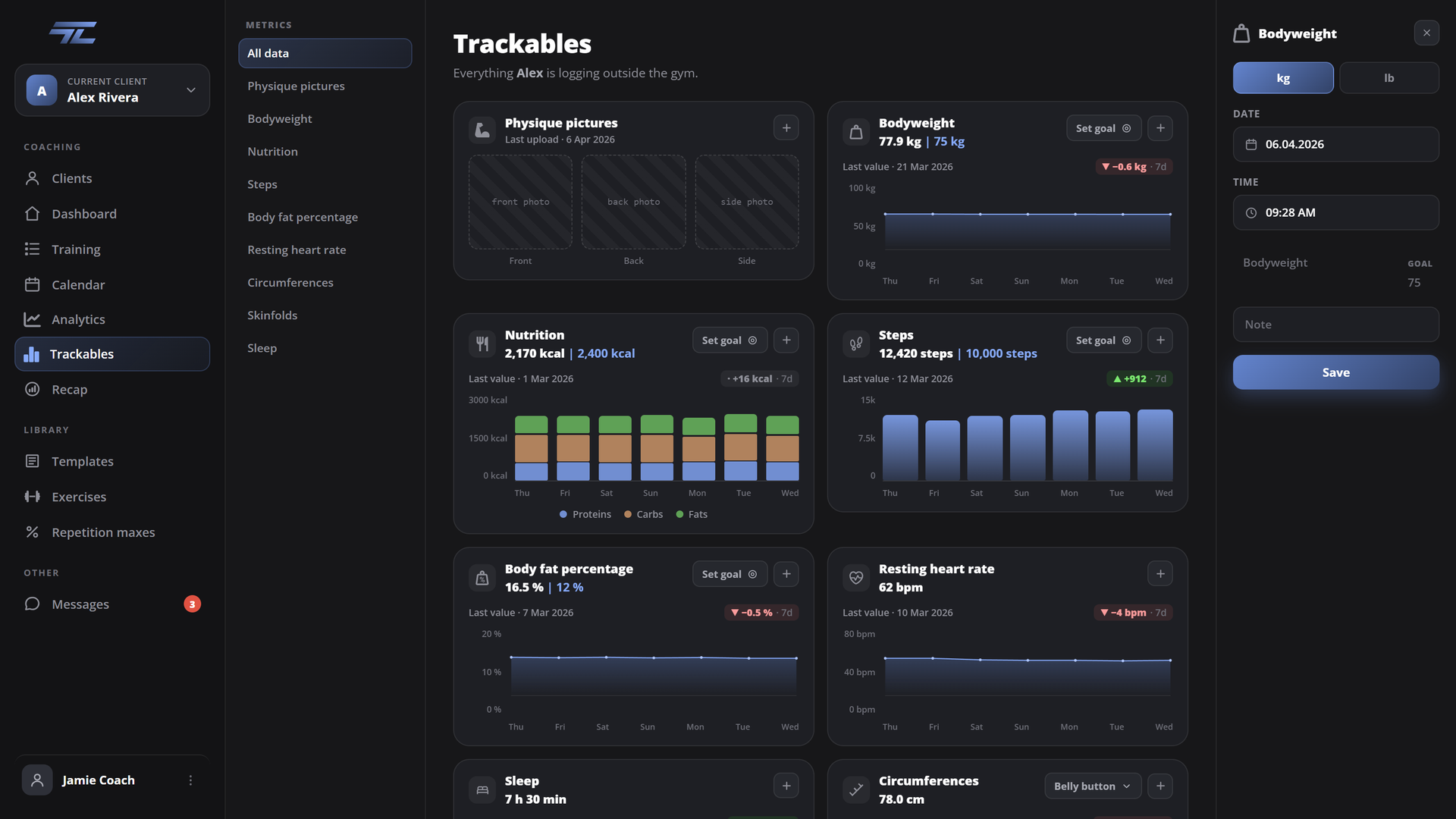
Bodyweight, sleep, steps, resting HR, circumferences, and skin folds. Track all the important metrics to get your client to the goal they came for.
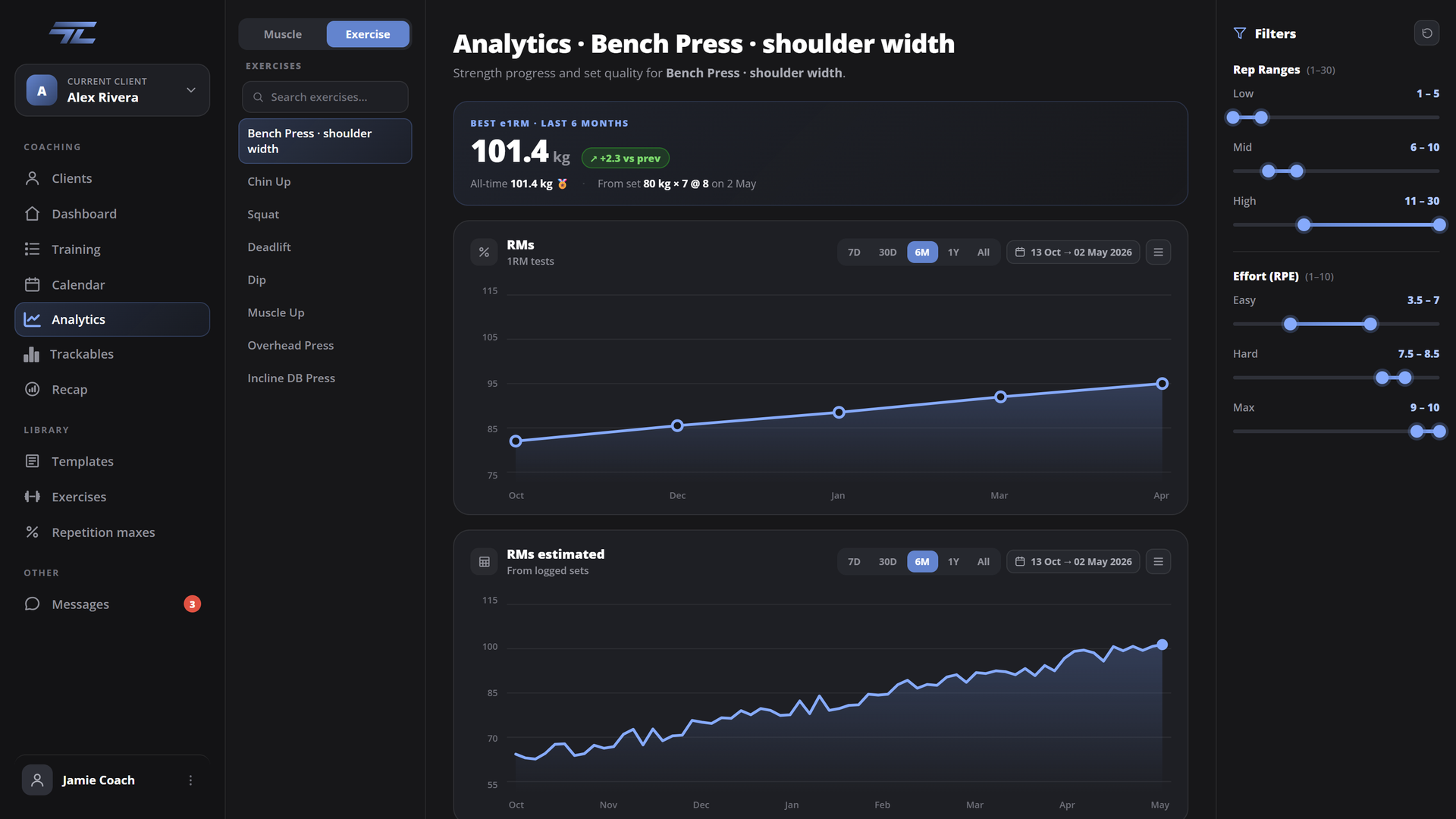
PRs and e1RM of each and every client. Filter rep ranges and efforts, and decide what a secondary muscle group is worth.
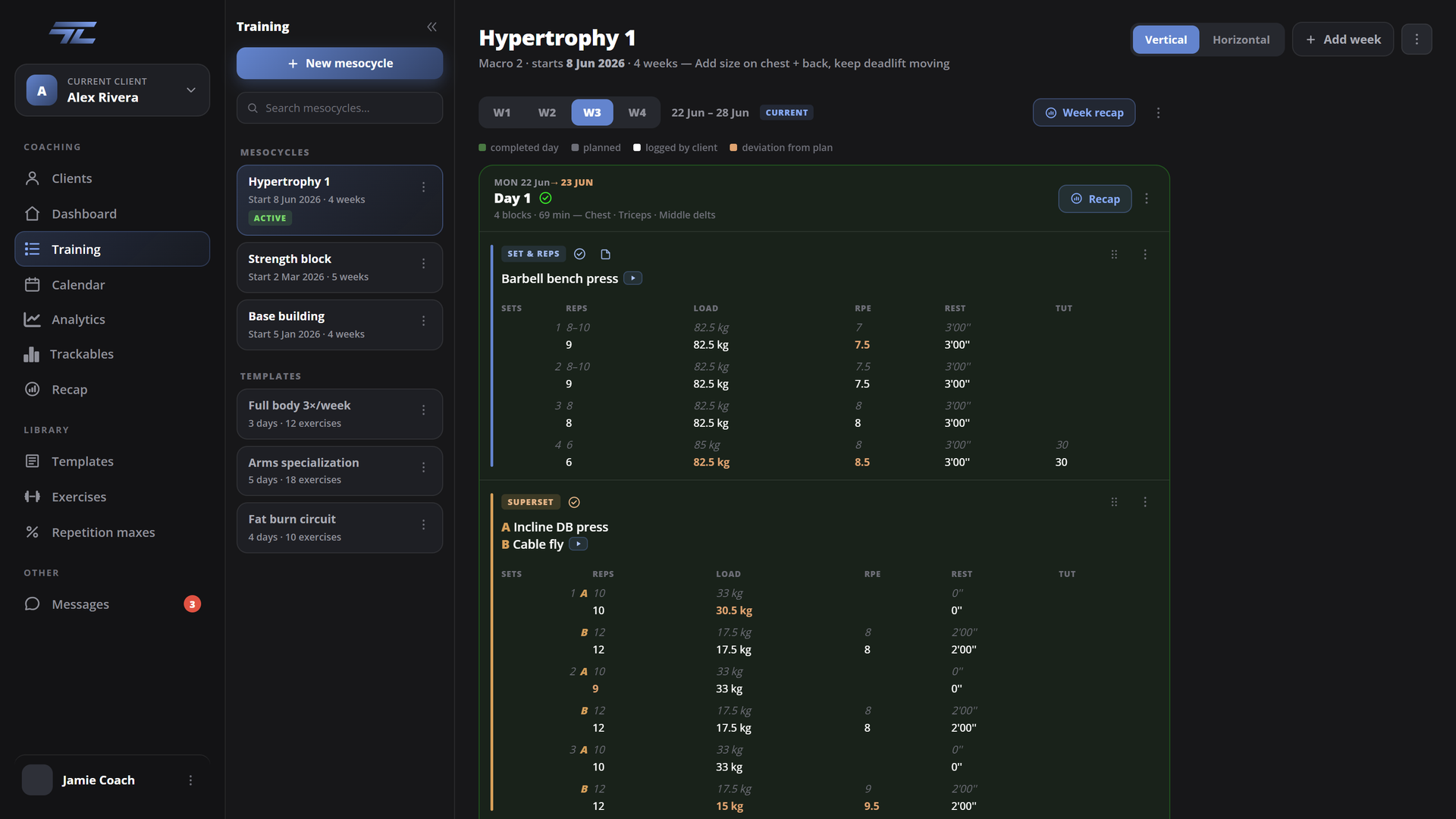
Pick a method and the editor reshapes around it: an EMOM gets intervals, a drop set gets drops. All weeks side-by-side, so a mesocycle is one read.
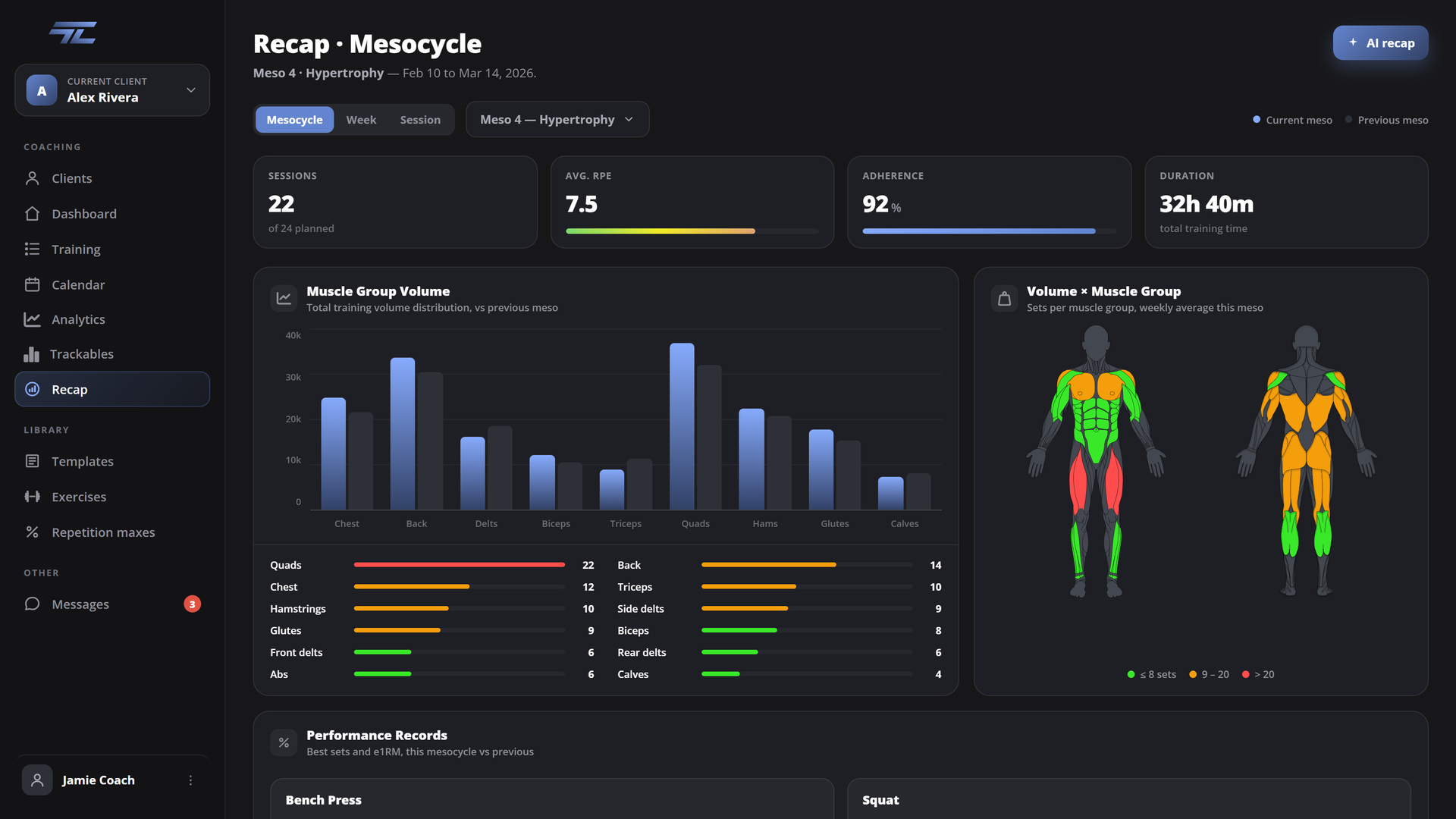
Session, week, and mesocycle recaps, each with a muscle heat map and the performance records underneath. Keep track of new and old lifts, and make sure your clients are actually progressing.
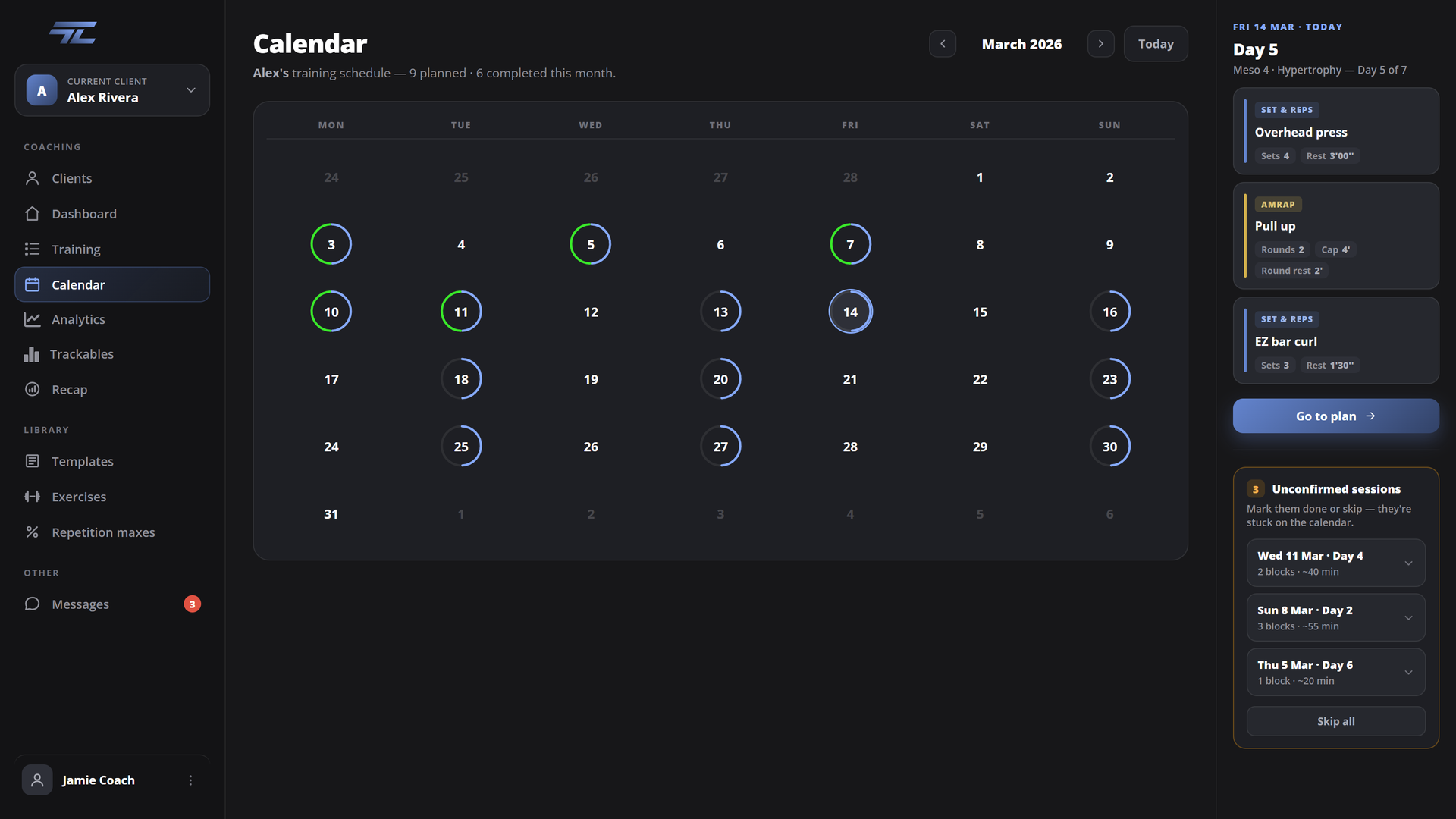
A client's whole month on one grid, with a status ring on every day. Sessions they never confirmed pop up to keep adherence in check.
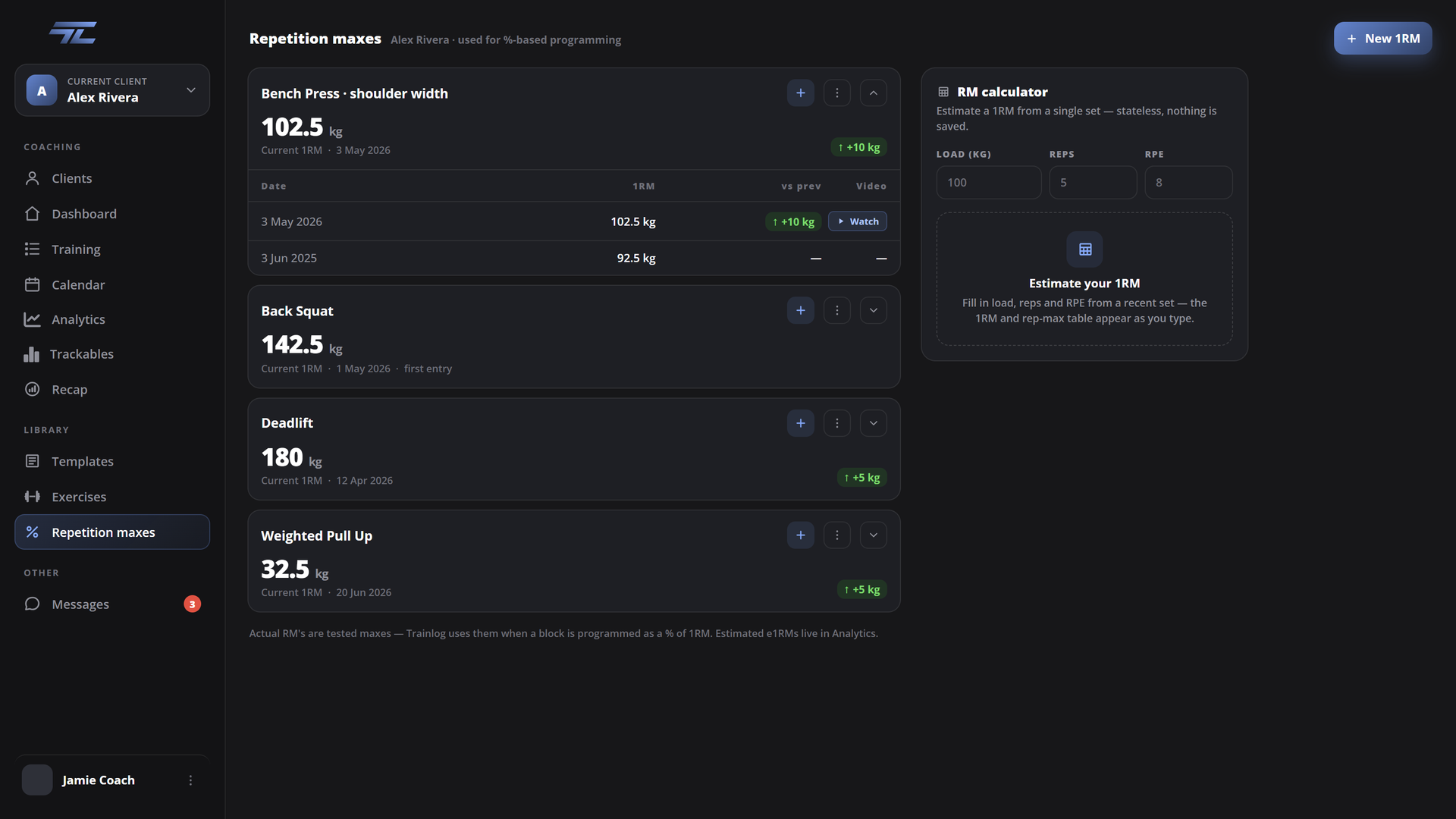
Track your actual 1RMs and use them to program percentage-based mesocycles. An incredible tool for powerlifters and for template creation.
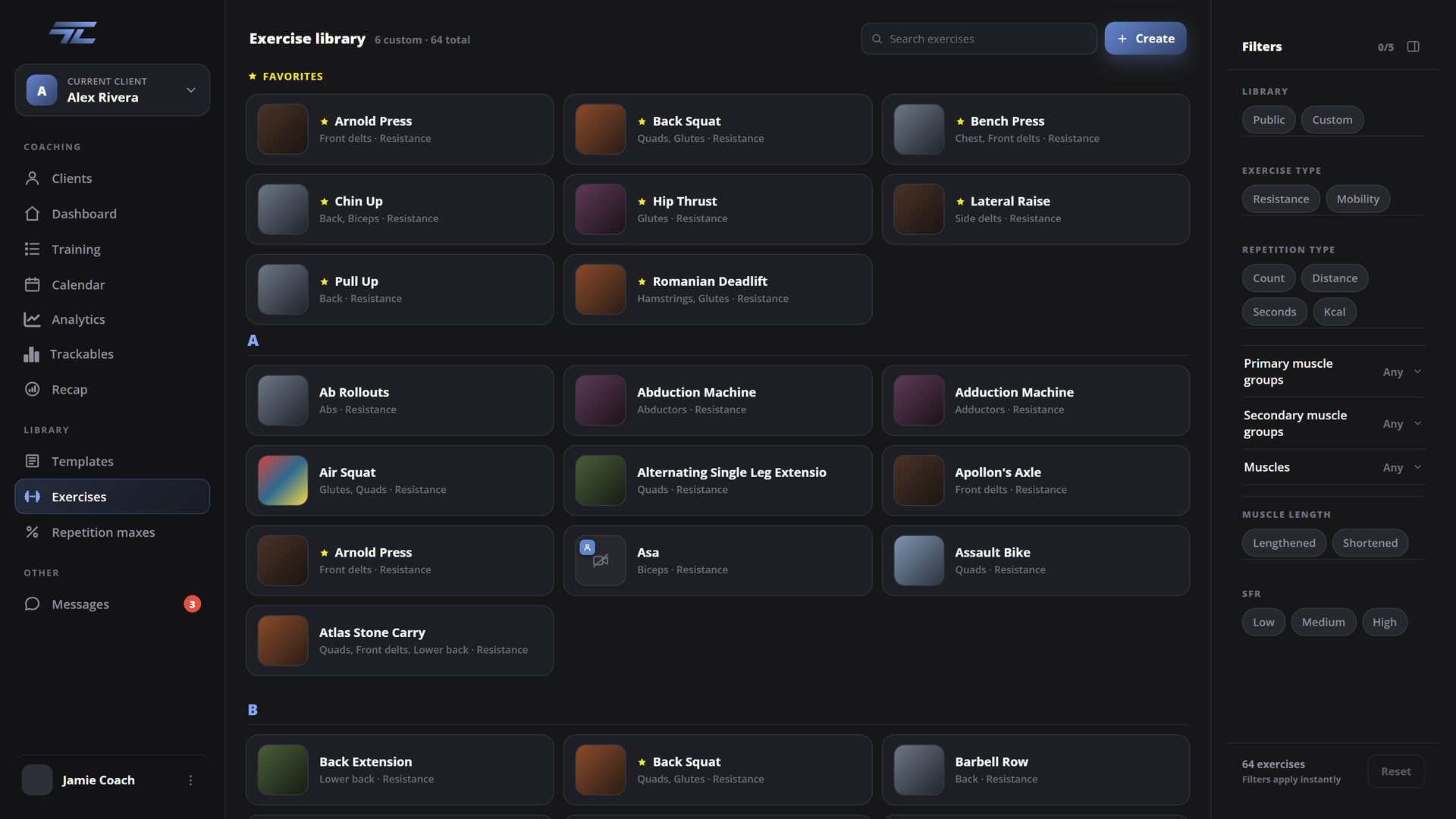
400+ exercises with video and muscle groups, filterable any way you want. Add your own, upload your own clips, and create a personalized library for your client.
Every set you log on your phone, of every single method, is saved as data. In analytics you can filter by muscle group, by exercise, rep range, effort range, and decide the secondary muscle coefficient. No software in the world gives you access to so much of your training data.
An integrated AI tool flags trends, helping you make better decisions.
Manage all your clients from one screen. Give feedback on RPEs and videos. Check session recaps. Leave cues. Adapt plans. See your client's progress.
TrainLog is built by the team behind Sthenics — coaches who've programmed training for 400+ clients over the last decade and specialise in Calisthenics, where a set can be a hold measured in seconds, progress runs through band assists, and your own bodyweight is part of the load. Every feature here comes from a real coaching problem we had to solve.
Use the most powerful tracker in the world for free on mobile. To access premium functions, upgrade to Athlete. Not available on the web app.
For athletes training on their own. Program it yourself or start from a template, then see which blocks worked and which ones you wasted.
Everything you need to make a client better. Write their program, message them in the app, and read volume, rep ranges, and effort nobody could calculate by hand. Coaching lives in the web app, which opens soon.
Athlete is bought in the App Store or on Google Play, and renews automatically unless you cancel at least 24 hours before your trial ends.